Speech bubble memes, without leaving Discord
Drop a pic, tap a button, send it. Works on GIFs too. Free, no account.

Meme HQ
Text channels
#general
#memes
#clips
miaToday at 4:19 PM
look at this guy
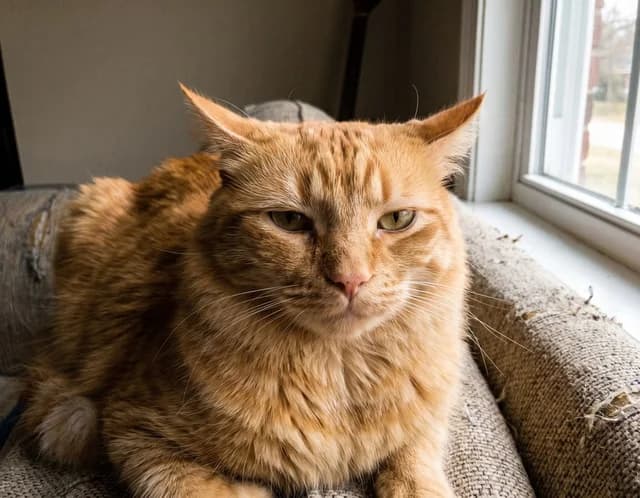
youToday at 4:20 PM
Apps›Speech bubble this
SpeechMemeAppToday at 4:20 PM
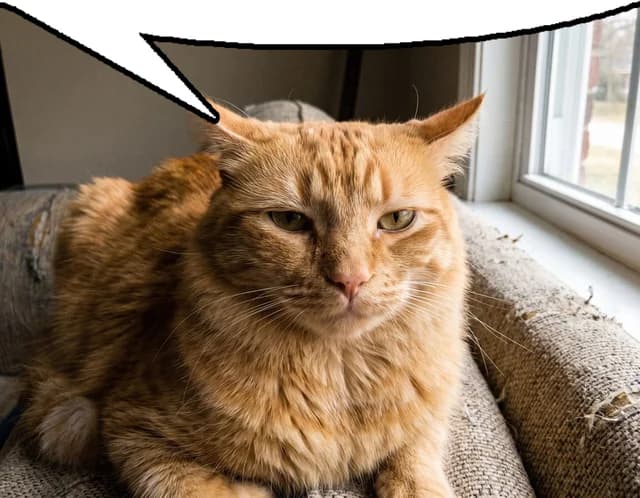
Three ways to make one
Whichever you reach for, the meme comes back in about a second.
- #memestype / to see every command
Commands matching /bubble
/bubblePut a speech bubble on any image or GIFcat.png✕/bubbleimage:
/bubbleUpload and go
Type /bubble, drop in a picture or GIF, and the meme comes back in a second. Nothing to install, nothing to learn.
- #memesright-click any picturemia
miaToday at 2:14 PM
look at this guy
Add Reaction
Edit Message
Reply
Apps
Speech bubble thisRight-click → AppsMeme any message
Someone already posted the picture? Right-click it, choose Apps, then Speech bubble this. That's the whole flow.
- #memessearch the public gallery
SpeechMemeApp
free the cat
by xyba · results for cat
1 of 12 · cat angry
◀️ Back▶️ Next🔀🚀 Send/searchPull from the gallery
Type /search and a keyword. Every meme is tagged by what is actually in the picture, so plain words like cat or angry work.
You get a preview first
The result appears only for you, with buttons to move the bubble, flip it to the bottom, switch shape or cut it out of the image. Nothing reaches the channel until you press Send.
- Every change re-renders instantly
- Animated GIFs keep every frame
- Nobody sees your experiments
youToday at 4:20 PM
/bubbleimage: cat.png
SpeechMemeAppToday at 4:20 PM
Looking good
Only you can see this until you hit Send.
Every command
- /bubblePut a speech bubble on an image or GIF you upload
- Speech bubble thisThe same thing, on a message someone already posted
- /searchFind a meme from the SpeechMeme gallery by keyword
- /randomA random meme, with shuffle and next arrows
- /helpA short card explaining all of the above
Safe to add
Reads no messages
No privileged intents. The bot only ever sees a message when someone deliberately right-clicks it.
Nothing to configure
Add it and the commands are there. No roles, no channels, no setup wizard.
Private until you send
Previews are visible only to the person making the meme, so nobody spams the channel while experimenting.
Free, with no limits
No premium tier, no paywalled bubbles, no watermark on anything you make.
Vote for SpeechMeme
Bot lists rank by votes, so every vote helps another server find it. Takes five seconds, and it's free. You can vote again every 12 hours.
Also listed on Discord Bots.
Add it to your server
Takes about ten seconds. Your whole server gets it, and you can remove it just as fast.
Not running a server? Hang out in ours instead.
Prefer to read the small print? See our terms and privacy policy.